Run your gym.
Train your members.
KelvaFit is one app built around real training, from first booking to personal best. Classes, programmes, progress, PT, nutrition and payments. For your members and your coaches.
Already on KelvaFit? Sign in to the coach web app
KelvaFit is for gyms, studios and personal trainers, built in Ireland.
Gyms
Classes, programming, memberships and payments for a busy timetable.
Classes and training →Studios
Smaller groups, closer coaching: plans and nutrition for every member.
Plans for every member →Personal trainers
Clients, session credits, programmes and nutrition targets in one place.
Personal training →Runs its full class timetable on KelvaFit: booking, class plans on the TV, member training and payments.
Members book, train and track their progress in the gym's own colours.
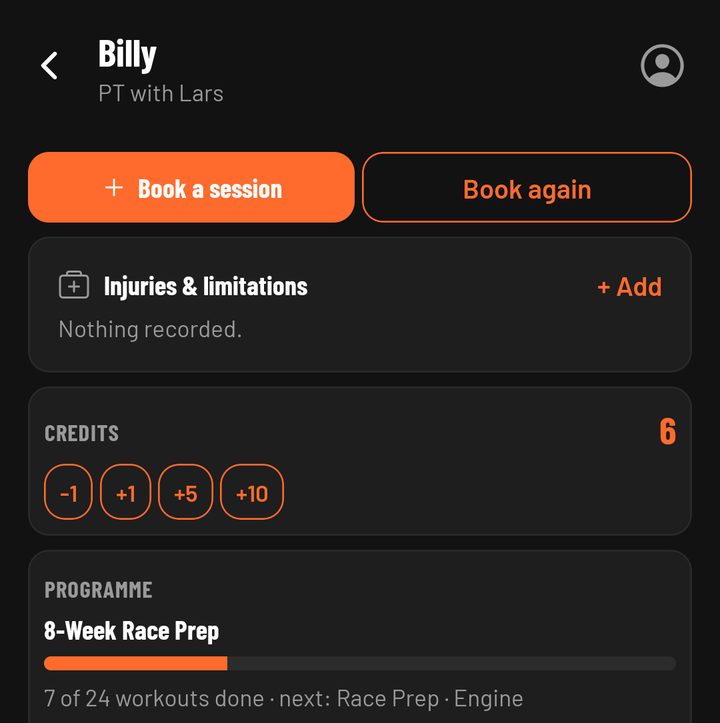
Runs 1:1 clients on KelvaFit: session credits, programmes, nutrition targets and booking the next session.
No gym needed. The same app, set up for one coach and their clients.
Every class has a plan. Every set gets logged.
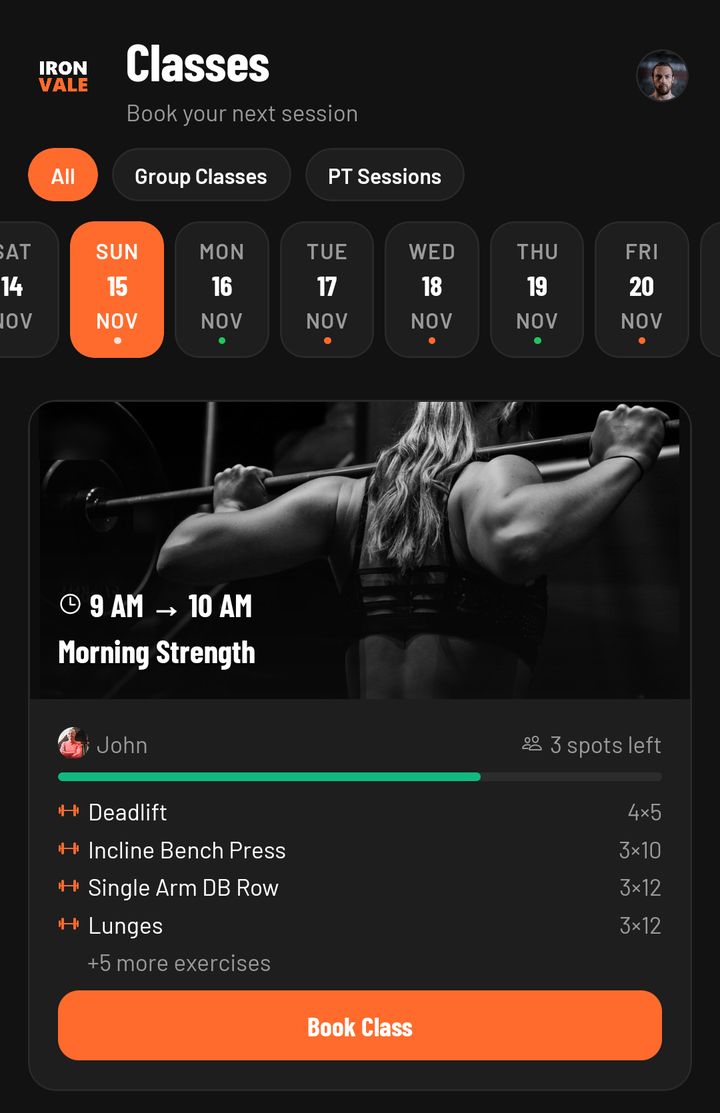
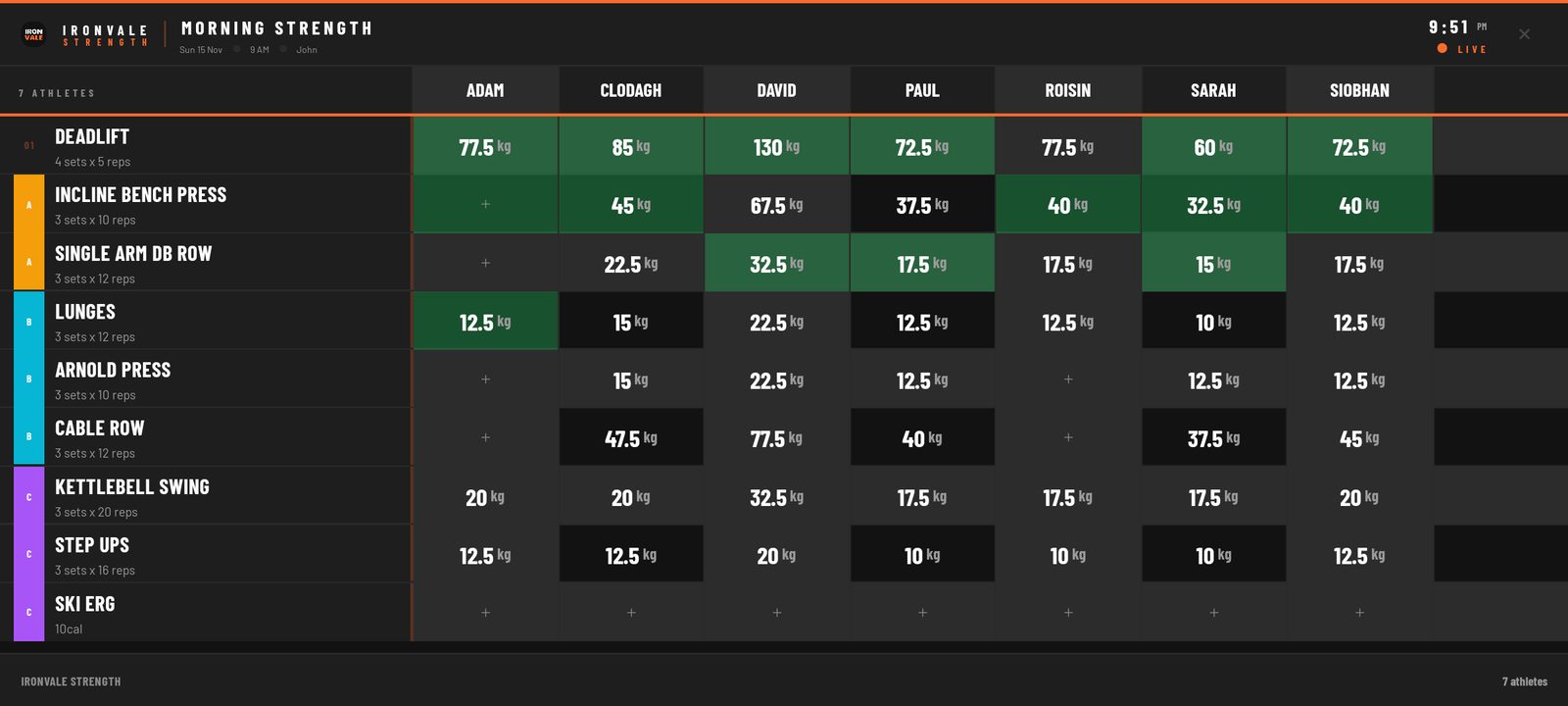
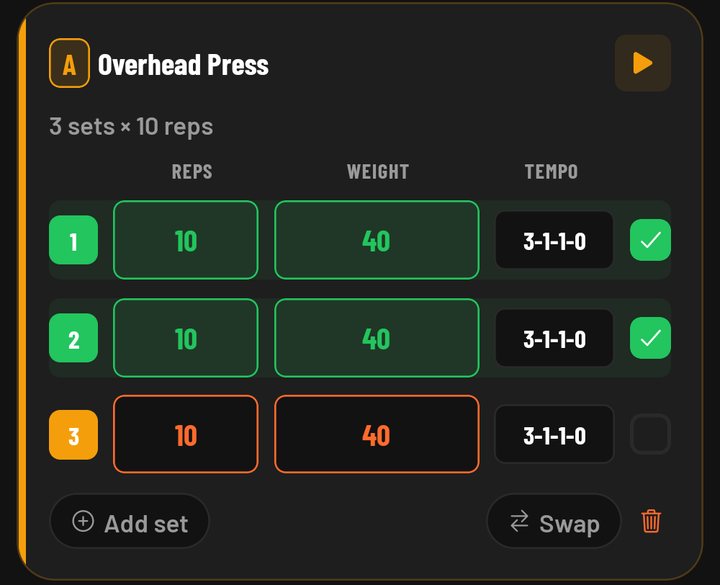
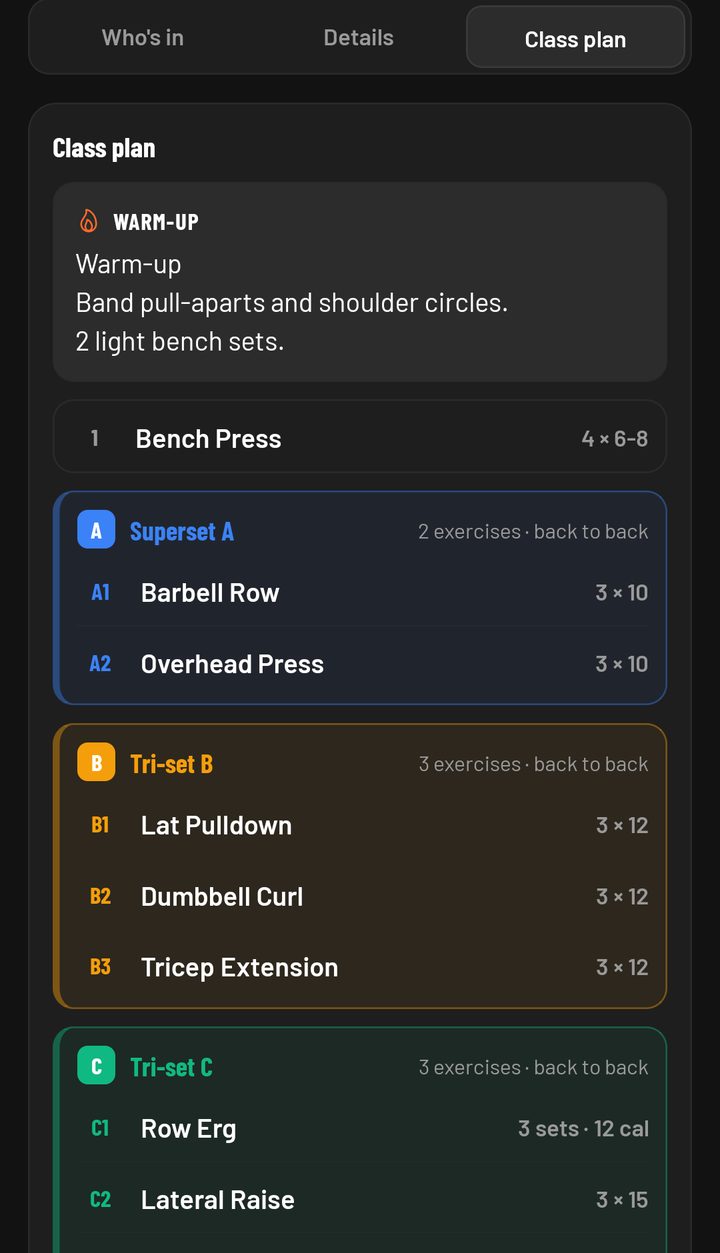
Coaches plan each class once: warm-up, supersets and tri-sets. Members see it before they arrive, log their sets and weights, and the whole class shows up on the gym TV.
- Class plans with warm-ups, supersets and tri-sets
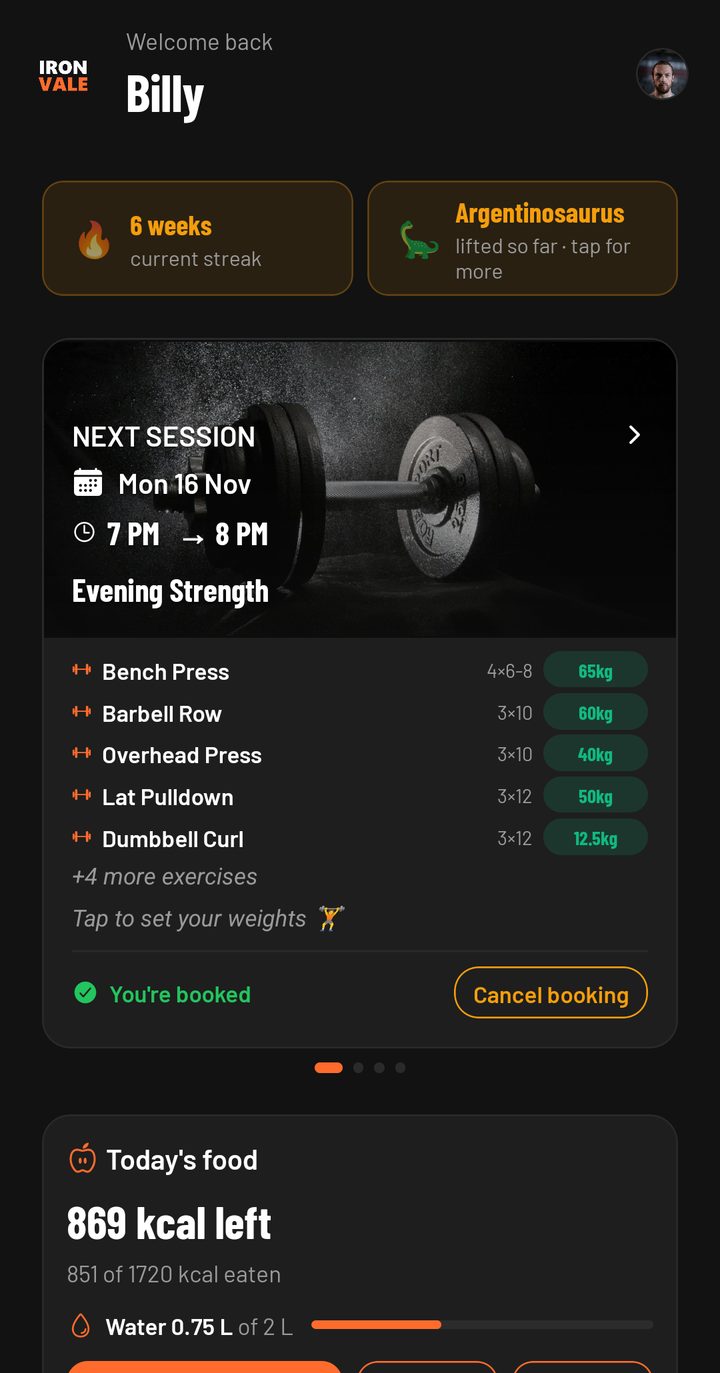
- Members log sets, reps and weights, with last time's weights filled in
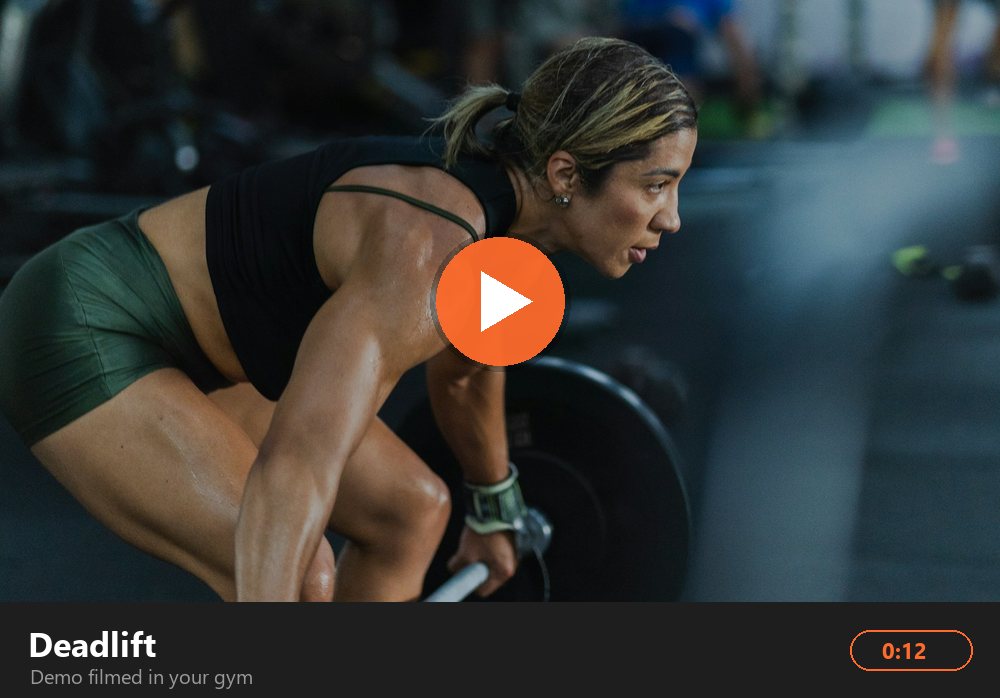
- Film exercise demos on your own equipment, so members see your coaches and your kit, not stock clips
- Personal bests tracked by reps and weight, not just the heaviest lift
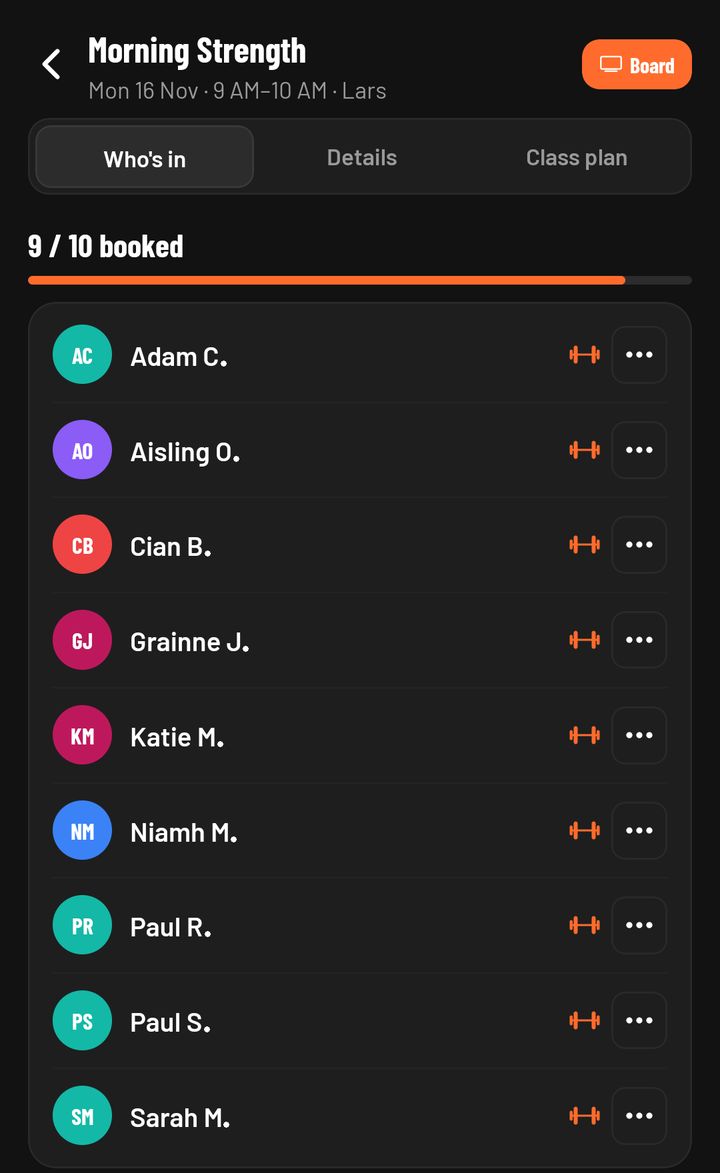
- The Class Board: cast the class to the TV, and sets turn green as members finish them
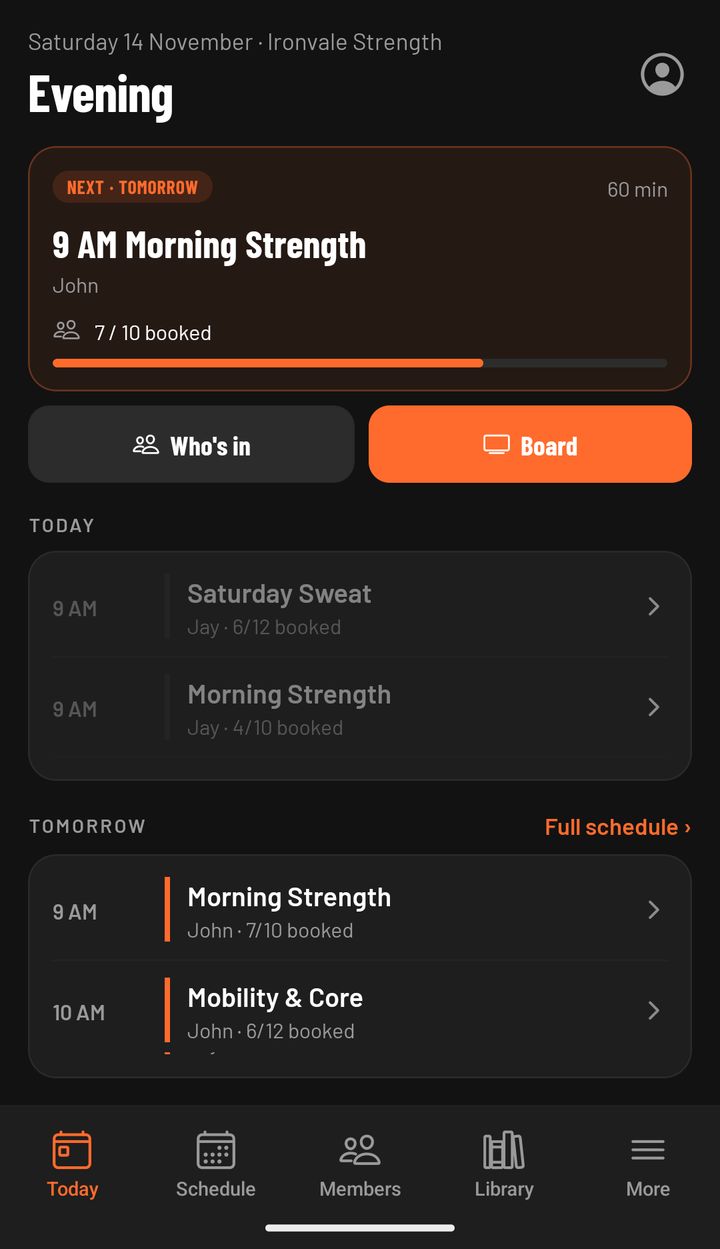
- Booking, waitlists and a weekly view of each member's training
Build your own programmes and meal plans, for every member
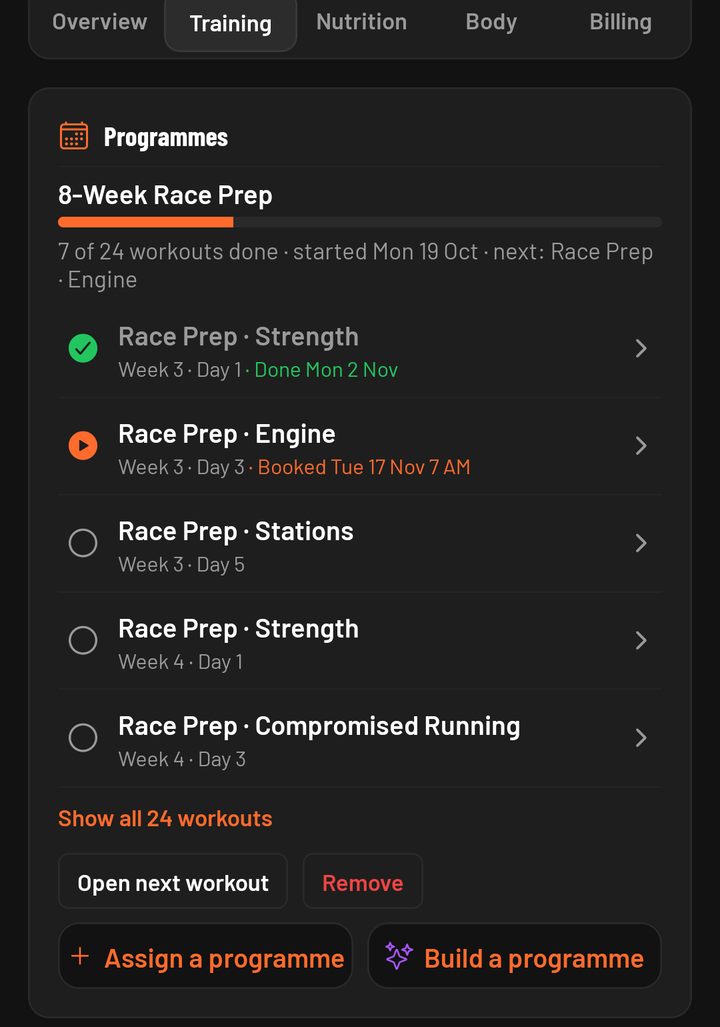
You and your coaches build the training programmes in your own library, plus meal plans if you offer nutrition, then give them to any member, not just PT clients. They follow them in the app, and you see how they're getting on.
- Build multi-week training programmes and assign them to any member
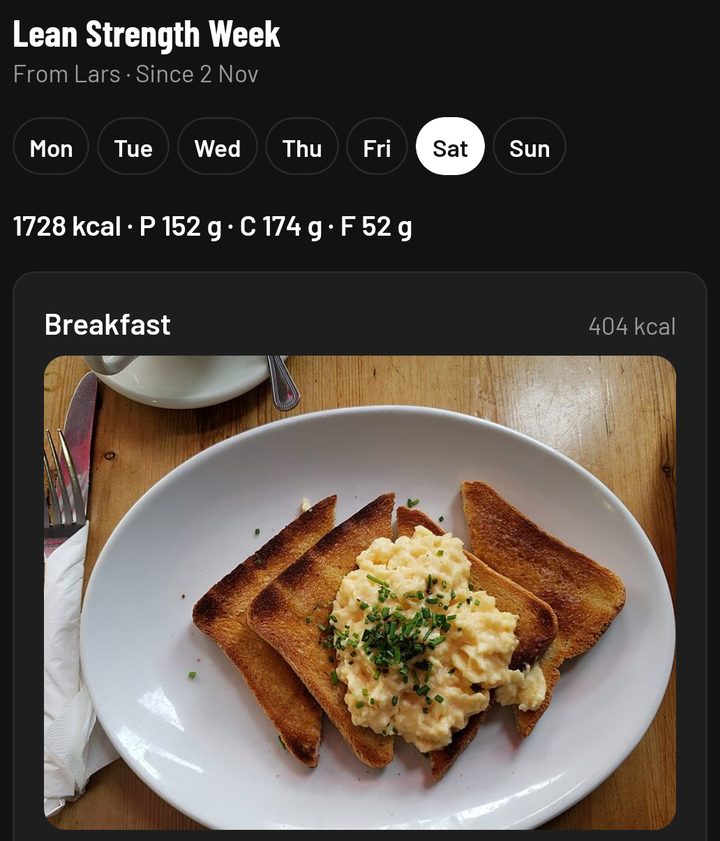
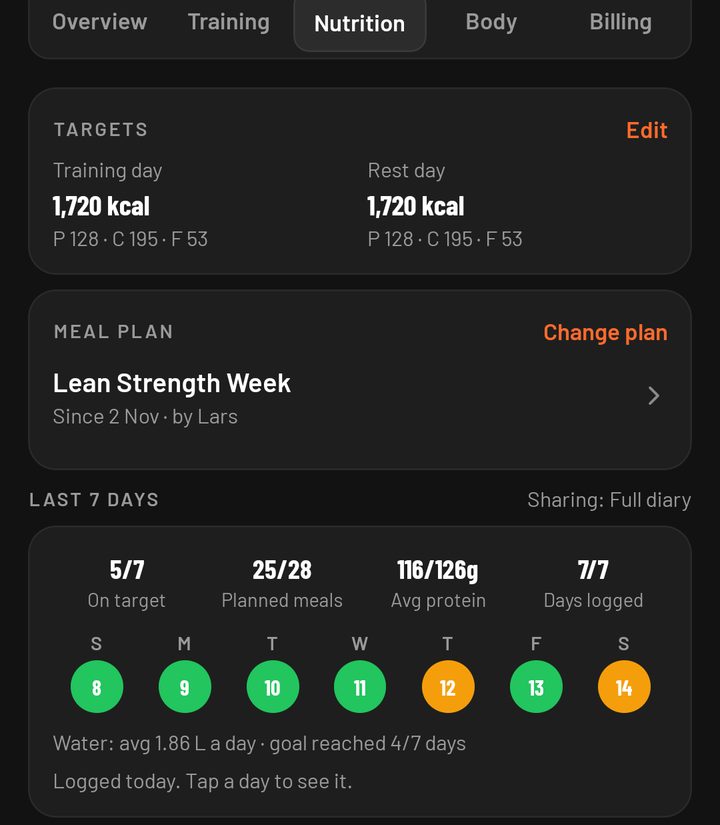
- Set daily nutrition targets, with separate training-day and rest-day numbers
- Build 7-day meal plans with your own recipes, photos and method, for members to follow meal by meal
- Build once in your library, reuse for every member
- See each member's progress: workouts done, days on target
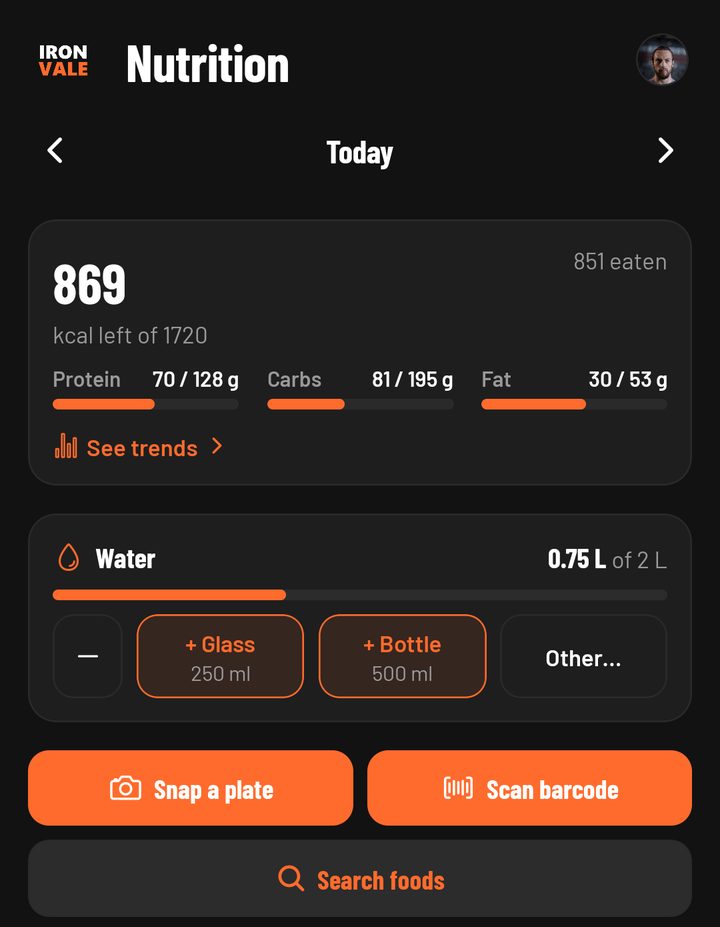
Nutrition that lives next to the training
Members log food in the same app they book and train in. Coaches see whether they're hitting their targets, without asking for screenshots.
Optional. Nutrition stays off until you switch it on. If you just want to run a gym, leave it off and your members never see it.
- A food diary with calories, protein, carbs and fat against their targets
- Snap a plate: take a photo of a meal to log it
- Scan a barcode, or search the food list
- Water tracking in a tap
- Recipes and saved meals for the foods they eat often
- Coaches see days on target, protein and water at a glance
Progress your members can see
Seeing the numbers move keeps people coming back. Members see it on their phone, and their coach sees the same.
- Personal bests, streaks and a running total of everything they've lifted
- Body weight and measurements over time, with a 7-day average
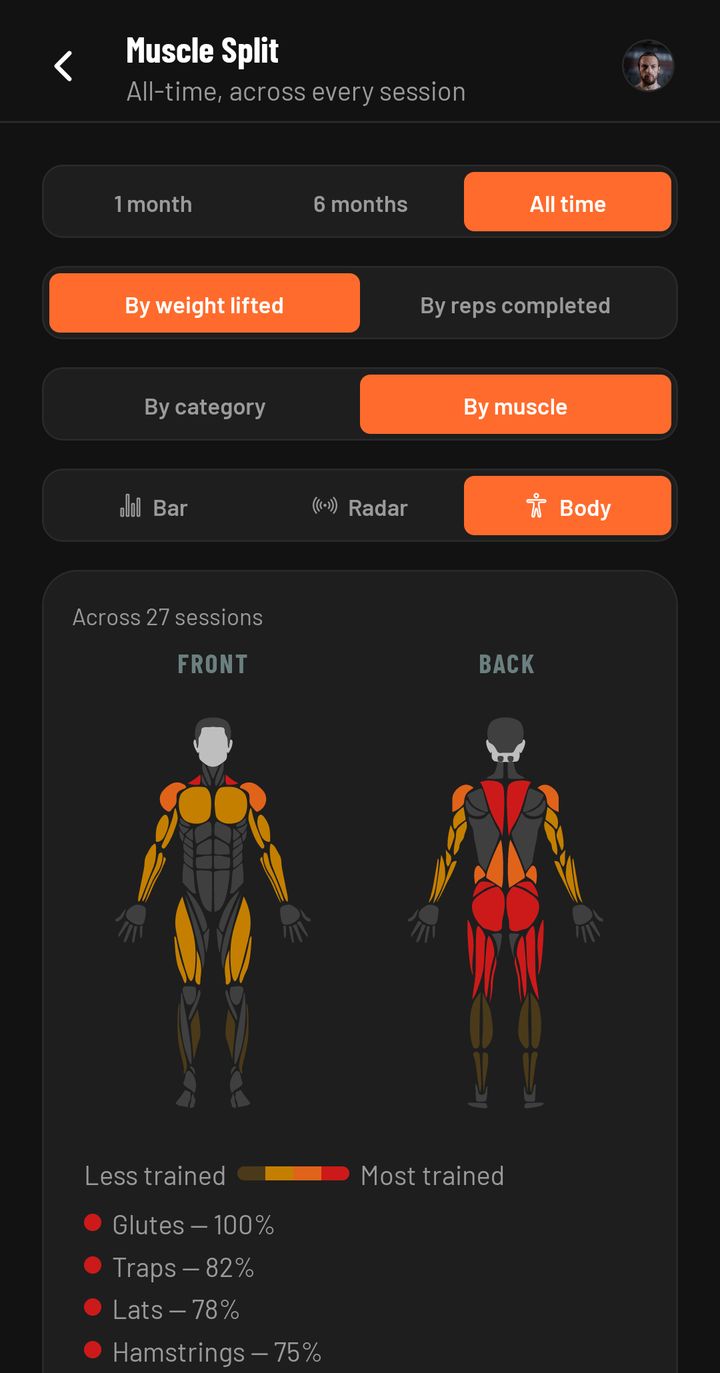
- Muscle split: which muscles they train most, on a body map
- Coaches see each member's sessions, streak, volume and PBs, plus where they're stalling and what to try next
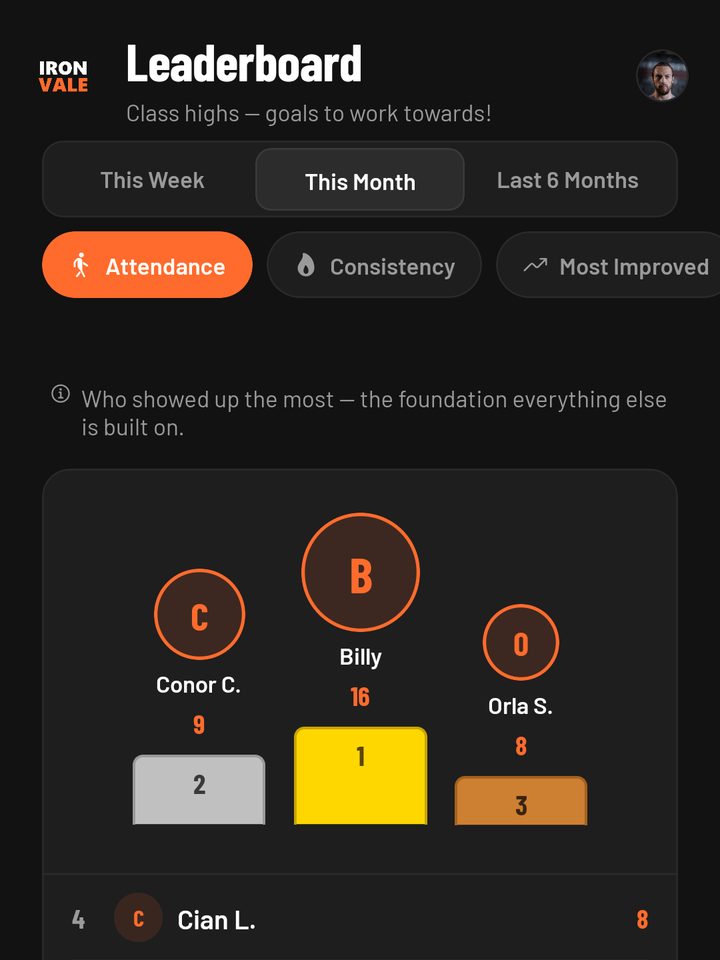
- An opt-in leaderboard built around effort: attendance, consistency, most improved and new PBs, by week, month or six months
- Members can connect third-party fitness apps, so their workouts show up there too

The business side, handled
Your staff run the day from the same phone app. On a bigger screen, the coach web app has everything else.
- Class booking, schedules and waitlists
- Memberships, class packs and card payments through Stripe
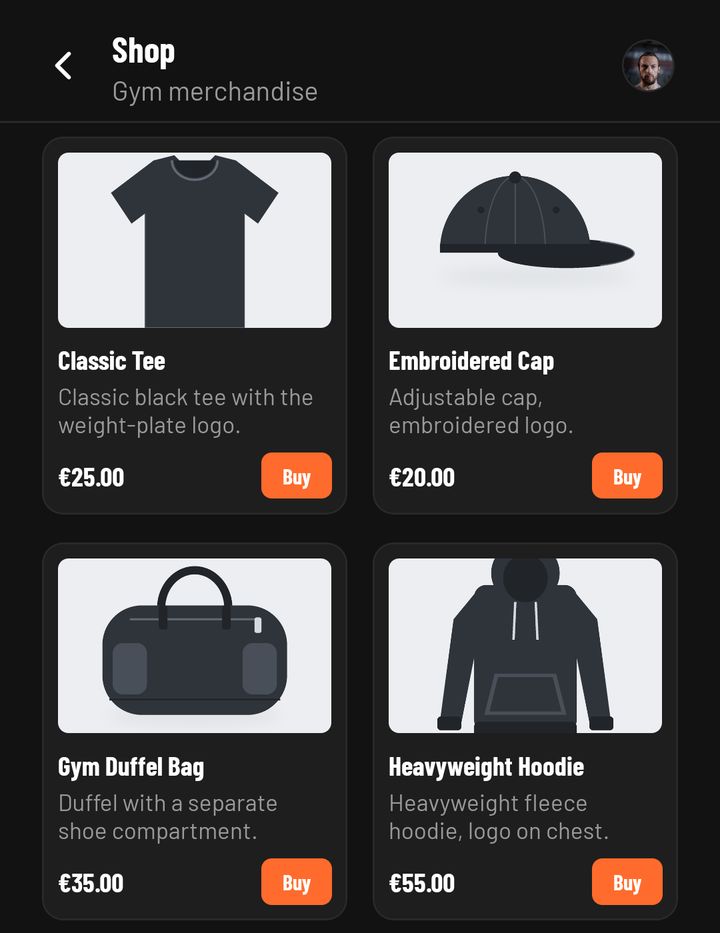
- Your own gym shop: sell your tees, hoodies and shakers in the app, paid by card and collected at the gym
- Analytics: active memberships, retention, members by plan, popular classes and fill rates
- Nudges for members who've gone quiet
- The coach web app at app.kelvafit.com for programmes, members and the numbers


Built for the trainer on the gym floor
Whether you work inside a gym or on your own, your PT clients, sessions and plans sit in one place.
- Clients with session credits you can top up in a tap
- Session plans from the client's programme, so each session picks up where the last left off
- Nutrition targets and meal plans you build for each client
- Injuries and limitations noted on the client's profile
- Book the next session again in one tap
- Cast the session to the gym TV
Your members see your gym, not ours
Every gym sets its own logo and colours. Here's the same screen for three different gyms.
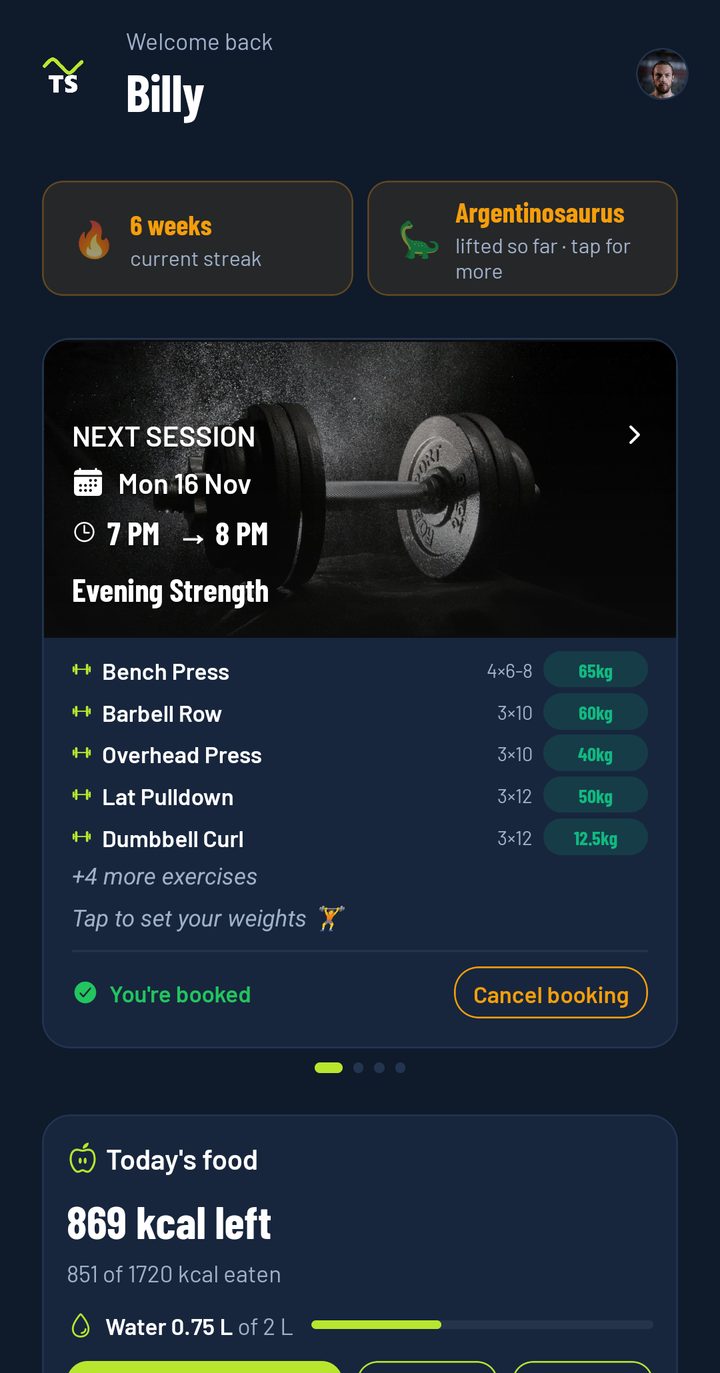
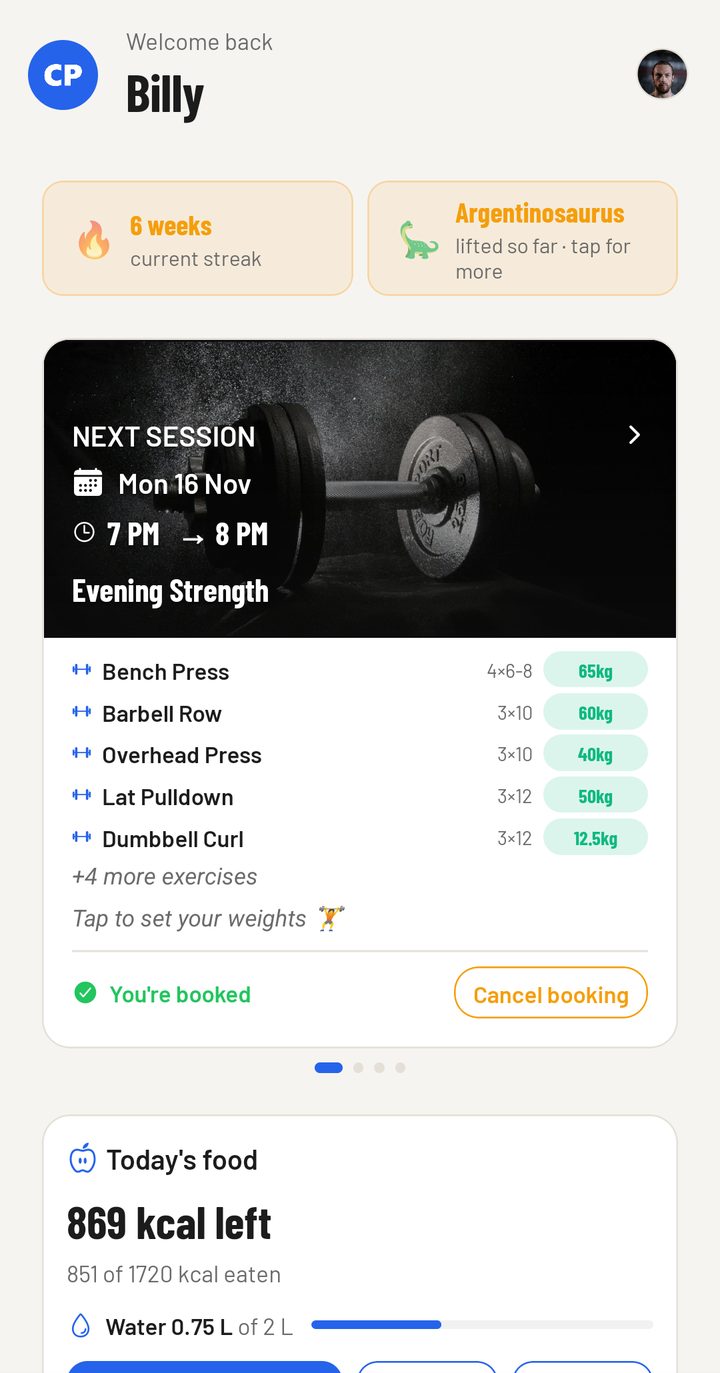
Made-up gyms, shown for illustration.
Priced around what you use
Every gym runs differently. Tell us which parts you want, we switch those on, and the price follows. Don't want nutrition? We leave it off. You can add more later.
- Classes and bookingTimetable, booking, waitlists and the weekly view
- Memberships and paymentsMemberships, class packs and card payments through Stripe
- TrainingClass plans, programmes, logging and the Class Board
- ProgressPersonal bests, body tracking and the leaderboard
- Personal trainingClients, session credits and session plans
- NutritionFood diary, targets and your own meal plans
- Gym shopSell your own merch in the app, collected at the gym
- AnalyticsRetention, members by plan and popular classes
- Your brandYour logo and colours in the app
Every gym gets its own private space. Talk to us and we'll put a price together for your gym.
Book a demo →Optional extra: your own app in the App Store and Google Play, under your gym's name.
Questions gym owners and trainers ask
I'm a personal trainer without a gym. Does it work for me?
Yes. You can run KelvaFit for just yourself and your clients: session credits, programmes, nutrition targets and booking, with your own logo and colours.
Do my members need to download a new app?
Members get the app on iPhone or Android and join your gym. Inside, they see your logo and colours.
Can we have our own app in the App Store?
Yes, as an optional extra. We can publish an app under your gym's own name in the App Store and Google Play. Most gyms start with the standard app in their own colours.
We just run a gym. Do we have to use the nutrition side?
No. Nutrition is off until you switch it on in your gym settings, and while it's off your members don't see it. Classes, booking, training, progress and payments all work without it, and you can turn it on later if you want to.
Does KelvaFit come with ready-made programmes or meal plans?
No. KelvaFit gives you the tools, and you and your coaches write the programmes, meal plans and recipes. The exercise library and food database help you build them quickly, and your plans stay yours.
Is there a separate app for trainers?
No. Members, trainers and admins use the same app, and each sees the tools for their role. The coach web app at app.kelvafit.com is there when you want a bigger screen.
How do payments work?
Memberships and class packs are paid by card in the app, through Stripe.
Can you move our existing members across?
Yes. We help bring your existing members, plans and contacts across, so switching doesn't mean starting from zero.
Where are you based?
In Dublin, Ireland. We set up every gym ourselves, by call and email, and you talk directly to the people who build KelvaFit.
Is our gym's data kept separate?
Every gym gets its own private space. Your members, classes and results are only visible to your gym's staff, and members choose whether to appear on the leaderboard.
Does KelvaFit use AI?
In a few places where it saves time: recognising the foods in a photo of a plate, drafting a programme for a coach to check and edit, and answering members' questions about their own training. Coaches stay in charge of what members are given.
See KelvaFit with your gym in mind
A 20-minute walkthrough of the app for members and staff, the Class Board and the coach web app, set up around how you run your sessions.
Book a demo →